Demonstration Project — Not a Real Business

Testing Peaky Studio Website Features Live

Welcome to Peaky Studio — Test Website, a demonstration page created to showcase and test various capabilities of the Peaky Studio website builder. This site is not a commercial business. Its sole purpose is to validate functions such as domain attachment, layout preview, responsive adjustments, and the publishing process. All information, including the address, is strictly for illustration and test verification purposes.

Illustrative photography · Unsplash

Company information

Peaky Studio — Test Website

Address:
Example Street 1, London — illustrative test address, not an office.
Document:
TEST-PREVIEW-2026
Our location
A screenshot of a web publishing dashboard with status indicators and test settings
Illustrative stock photo · Matheus Bertelli / Pexels

02 / About us

About This Demonstration Website

Peaky Studio — Test Website is intentionally fictional, designed for platform testing only. It does not offer public or commercial services, nor does it collect inquiries. All business details, services, and addresses serve as non-functional placeholders within controlled test boundaries.

The demonstration uses fabricated content and scenarios to thoroughly review visual designs, text flows, and technical integrations on the Peaky Studio platform. No actual users, clients, or business transactions are represented. The provided address is never used for correspondence and remains illustrative throughout testing.

Every section and feature helps identify how the page performs in real device conditions, visual themes, and platform upgrades. This testing practice is key for quality assurance reviewers, designers, and developers assessing the reliability of the Peaky Studio ecosystem.

Start a conversation ↗
03 / How to get started

How to Use This Test Website

01

Preview Layouts and Sections

Review each segment of the website, noting how content is displayed within the chosen curated layout. You may adjust screen resolution or device emulation from your browser developer tools to observe changes in layout and visibility across devices.

02

Assign and Check Test Domain

Within the Peaky Studio platform, follow the domain linkage instructions, using this demonstration site’s address setup as guidance. After assignment, verify that the domain resolves properly and that the illustrative address is visibly displayed across the website and on the test map.

03

Publish and Verify Changes

Make modifications as part of your platform test, then use the publishing tools to update the demonstration site. Review the site’s live state to ensure all modifications have been correctly applied, and confirm that the TEST-PREVIEW-2026 identifier is current and clearly visible.

01 / What we do

Test Scope: Core Features on Display

Peaky Studio — Test Website is specifically designed to test and illustrate the key features of the Peaky Studio platform. Each section below highlights a function under review in this test scenario—ensuring that layout, interactivity, and design preview work reliably during site creation and online publication.

Illustration of a website domain settings interface being configured on a computer screen
Illustrative stock photo · Markus Spiske / Pexels

Domain Assignment Testing

This demonstration checks how a domain name is linked to a Peaky Studio website. The process validates both the initial domain integration and the switch to production or preview domains. No real web service is active—this is a controlled test to observe URL behavior, DNS response, and address display within the builder. This helps users confirm custom domains work as intended on all platforms used for testing.

Discuss your idea ↗
Sample consulting website layout displayed on a digital device
Illustrative stock photo · Tranmautritam / Pexels

Layout and Design Preview

Site visitors—such as platform testers and project managers—can examine visual layouts in detail. The current 'Counsel' curated style provides an example of structured consulting layouts. The test website facilitates inspection of typographic hierarchy, alignment, card grids, and feature highlights across multiple virtual devices, verifying that style options render as shown during configuration.

Discuss your idea ↗
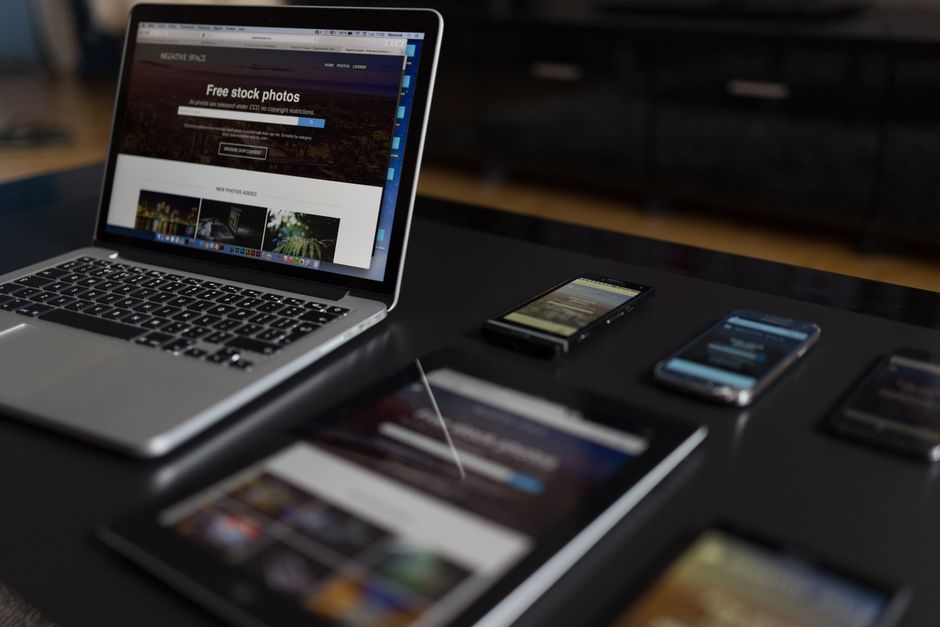
Different digital devices showing a website in various responsive layouts
Illustrative stock photo · Negative Space / Pexels

Responsive Page Adaptation

This test page enables monitoring of responsive design. By adjusting screen sizes, testers confirm how the site rearranges elements for mobile, tablet, and desktop displays. The demonstration checks if navigation, images, cards, and footers adapt fluidly. No external data connections or real user flows are considered beyond verifying responsive behaviors within the demo's contained content.

Discuss your idea ↗

Publishing and Verification Process

The publishing test traces the journey from a preview in the builder to a live demonstration site, ensuring all edits and layouts transfer correctly. This also includes review of publishing status indicators, versioning, and public accessibility using the TEST-PREVIEW-2026 document identifier. Testers can confirm that quick publishing shows immediate results without production assets or confidential data involved.

Discuss your idea ↗

Practical guidance / 01

Intended Test Audiences

This demo is built for professionals charged with evaluating the Peaky Studio website platform before live deployment. Its scenarios create a safe space for verifying updates while protecting real content and business information from accidental exposure during tests.

  • QA specialists confirming visuals and text flow across layouts.
  • Designers reviewing curated style previews and device adaptation.
  • Platform administrators validating domain linking and publishing.
  • Onboarding trainers demonstrating features for new users.

Practical guidance / 02

What Results to Expect from This Demo

All outcomes are limited to the depiction and technical proof of platform functions. Feature behavior, such as responsive reflow and publishing, can be inspected, but no real user data or interactive business flows will ever be present in this testing context.

  • Fully functional layout cards and navigation with fabricated content.
  • No user forms, account creation, or real client engagement options.
  • Changes and tests are transparent and reversible.
  • The illustrative address and document number remain static within this demo.

Practical guidance / 03

Checklist for Platform Testers

Before marking your test complete, ensure that all visual, technical, and layout verification goals are met. Take note of the limitations of illustrative content and remember not to seek commercial services or support through this project.

  • Verify address and TEST-PREVIEW-2026 are visible site-wide.
  • Simulate publishing and review how updates are rendered live.
  • Test domain assignment and ensure address appears on the map.
  • Evaluate layout shifts on mobile, tablet, and desktop resolutions.

04 / A little more detail

Good questions.
Clear answers.

Is this website an active service provider?

No. Peaky Studio — Test Website is a demonstration project for platform testing only. All content, addresses, and sections are illustrative placeholders, and there are no legitimate products, services, or business operations.

Who should use this demonstration site?

This demo site is for Peaky Studio clients, developers, designers, and QA testers interested in previewing layout performance and workflow verification during website construction. It is not intended for real business use or public engagement.

What should I do if I need real website services?

If you require commercial website creation or design services, please return to the main Peaky Studio platform or consult with genuine providers. This demonstration page does not connect to any actual support or service channels.

Which features are being demonstrated here?

Key features demonstrated include assigning a test domain, previewing curated layouts, adapting content for responsive views, and verifying the safe, rapid publishing of non-operational content. All features serve testing and development, not public use.

Is the displayed address a real location?

No. The Example Street 1, London entry is solely for illustrative and testing purposes. It does not refer to an actual office, and no communication or visits should be made based on this example address.

What is the TEST-PREVIEW-2026 identifier?

This identifier labels the current test document version and serves as a reference during verification of publishing and content status in Peaky Studio. It has no legal or operational significance beyond testing.

Our perspective

Focused on Transparent Test Documentation

The Peaky Studio — Test Website delivers an isolated environment for recording every detail of a platform test. All displayed information, layouts, and identifiers are transparent and non-functional, letting testers document outcomes without confusion or interference from commercial activity or misleading content. This clarity is crucial for reliable QA and onboarding illustrations.

05 / Contact us

Contact and Enquiry Parameters

This is a non-operational demonstration website. It does not process inquiries, receive messages, or serve as a real contact point. All details—such as address and legal identifier—are provided purely for testing interface layouts and should not be used to reach Peaky Studio or any other entity.

Peaky Studio — Test Website

Address:
Example Street 1, London — illustrative test address, not an office.
Document:
TEST-PREVIEW-2026